




Contact Us Acceasy Meet
Acceasy Meet

The first platform for fully accessible video meetings

Live captions, real-time translation and floating sign-language interpreter overlays easy to activate and control for each participant.

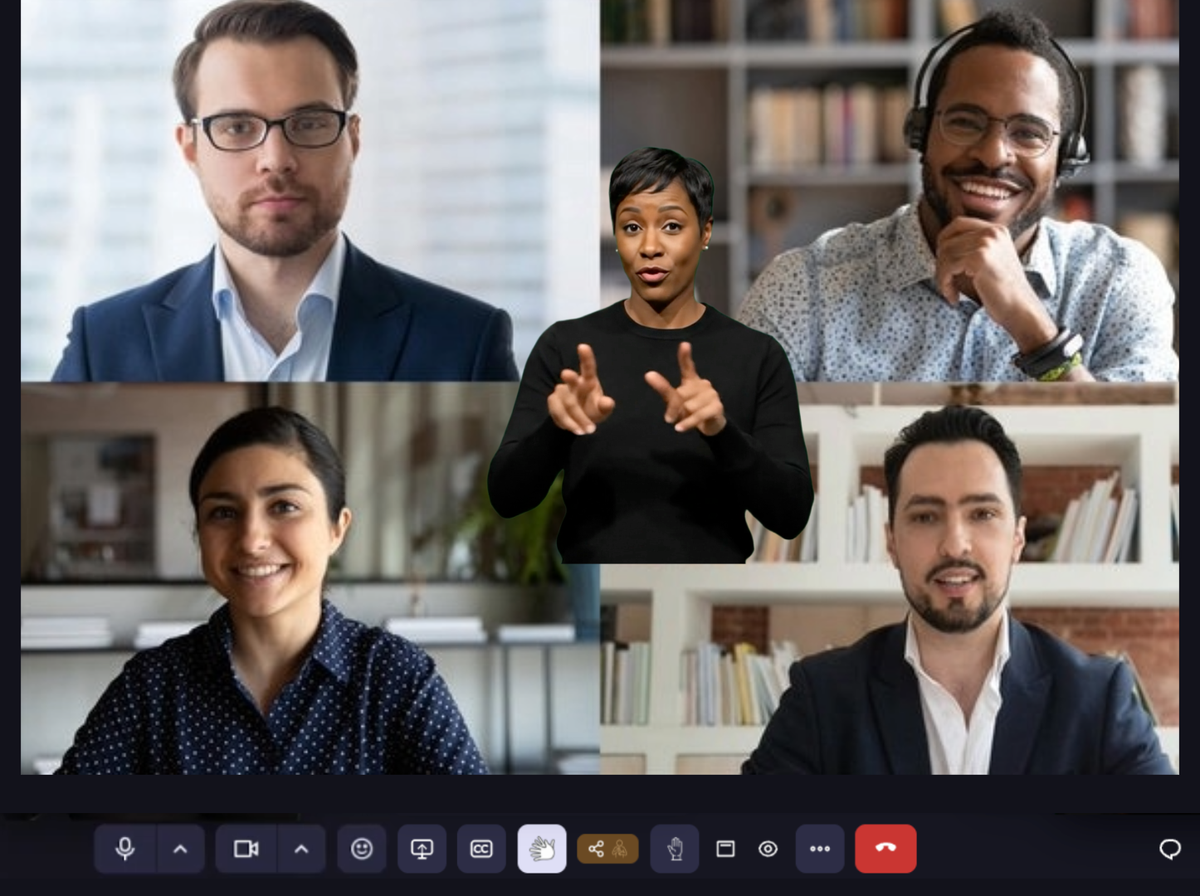
Acceasy Meet — an accessible video meeting with a floating sign-language interpreter overlay
Accessibility

Three accessibility features built into the platform

Total user control without hosts required to run accessibility for others. Each participant has full control on their settings.

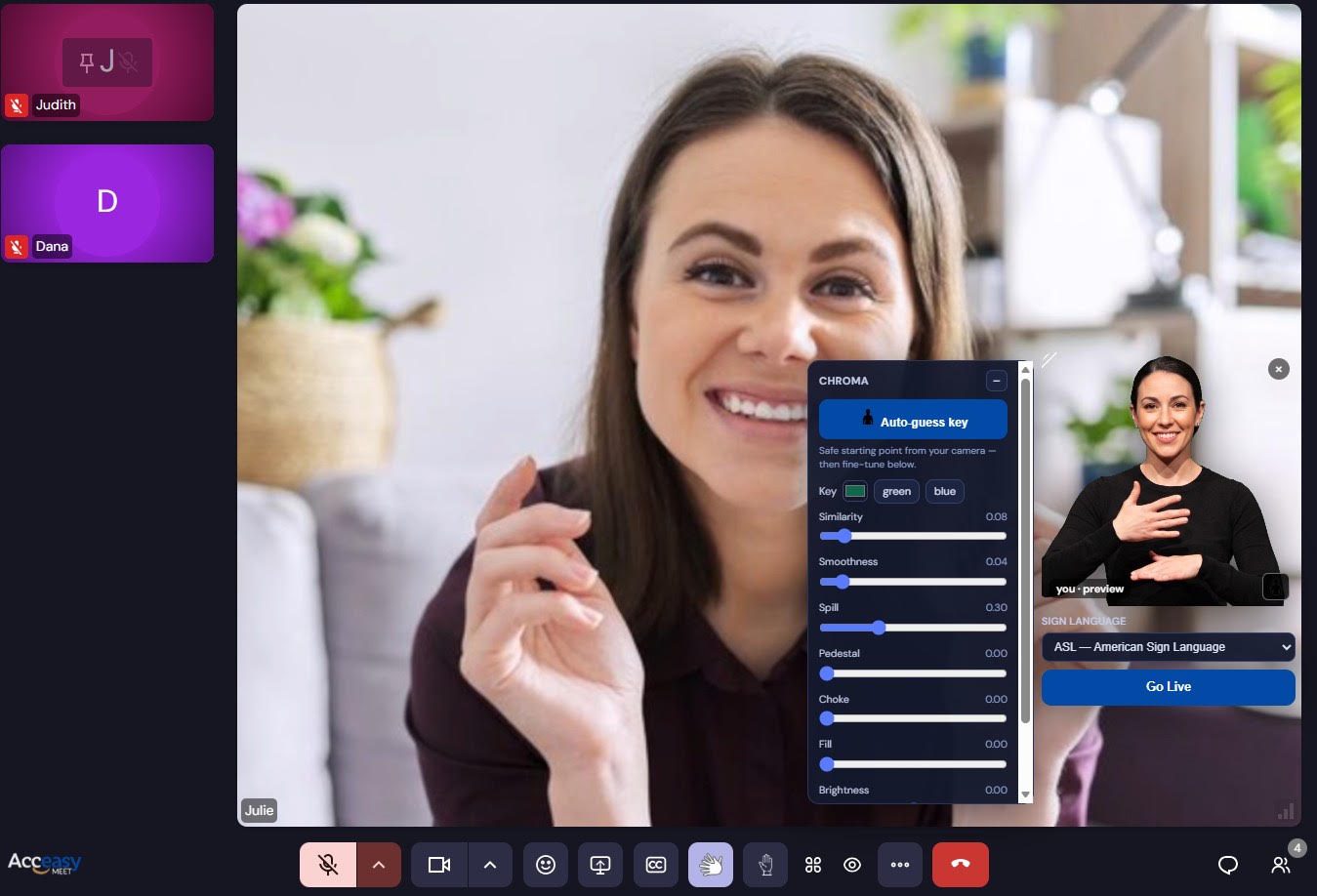
A video meeting where a sign-language interpreter floats in a large window over the lower-right of the grid, with her background removed.
Interpreters

Floating interpreter overlays

Interpreters float above the content with their background totally adjustable, at whatever size and position each viewer chooses — never squeezed into a grid tile.

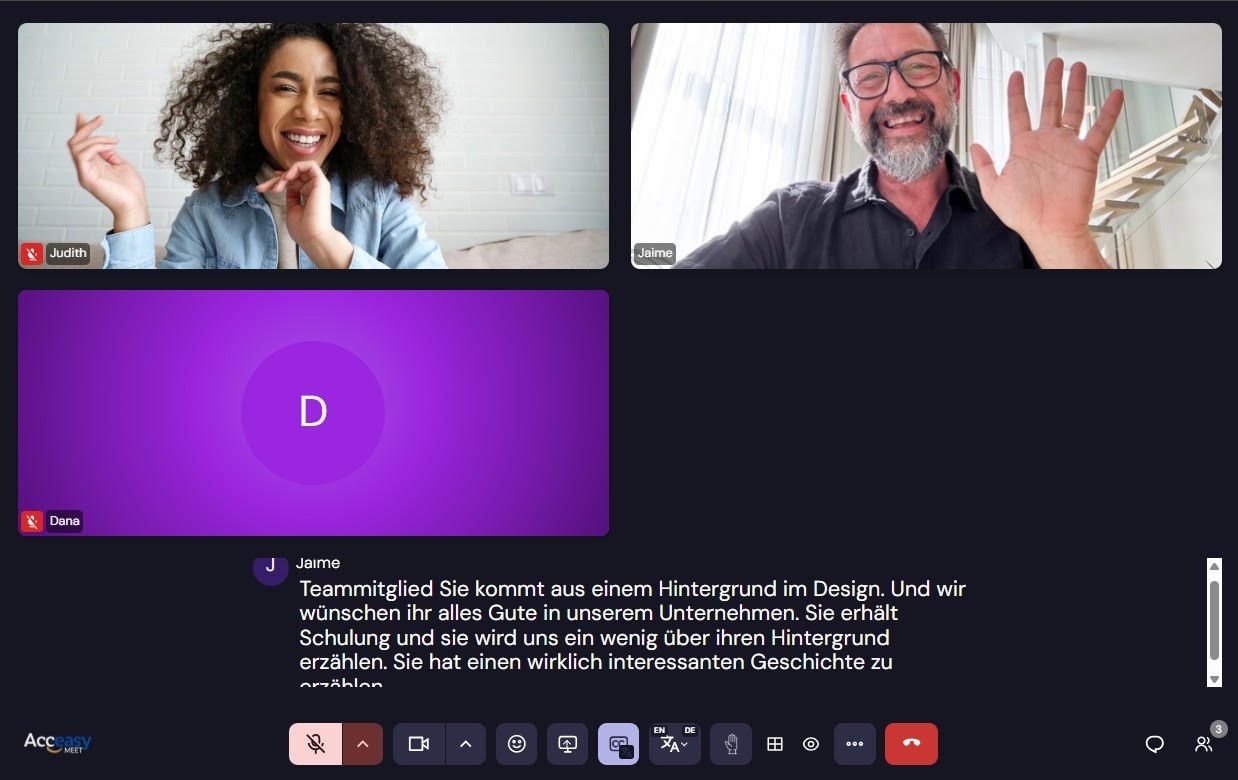
A meeting with live caption text across the lower half of the screen, attributed to the speaker.
Captions

Live captions & translation

Speech is transcribed as it happens and attributed to the speaker. Each participant can read in a different language from the one being spoken.

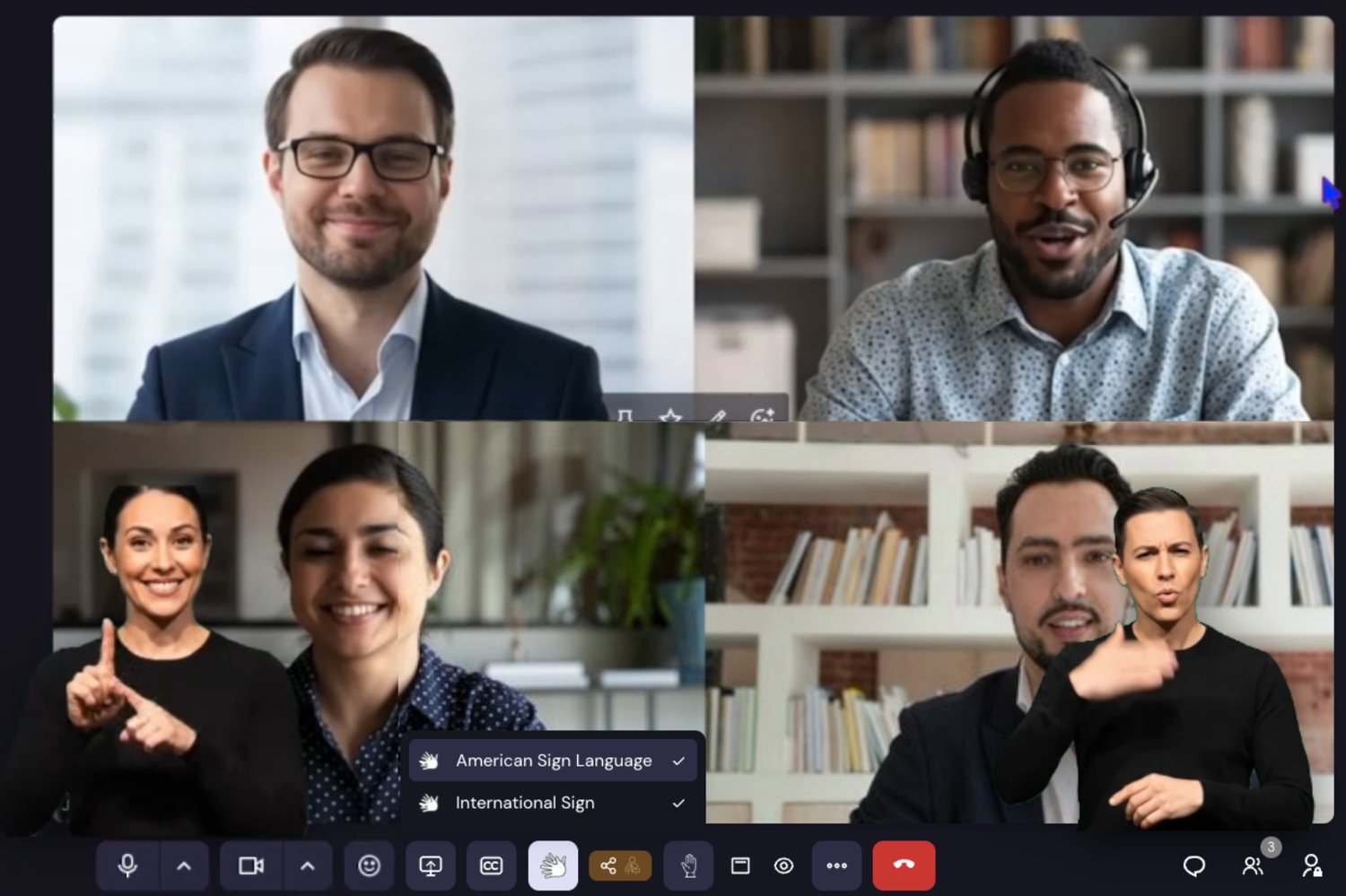
A meeting showing two interpreters at once, with a menu listing American Sign Language and International Sign, each with a checkmark.
Languages

Several sign languages at once

A meeting can carry multiple interpreters at once. Each viewer turns individual sign languages on or off for themselves.

Get started

Three ways to get started

1

Join a meeting

Enter with a link or code, set up your camera and microphone, and turn on live captions.

Join now
2

Host & subscribe

Create meetings, invite people and run webinars. Subscribe to a plan to unlock your team's limits.

See plans
3

Learn more

Step-by-step guides for joining, hosting and interpreting accessible video meetings.

Help centre
Coming Soon
Plans

Subscribe to a plan

Choose the plan that fits your team and unlock higher limits, webinars and more.

Contact us and we will set you up with access and pricing.

The Acceasy ecosystem

Five ways to ensure full accessibility

Pricing

This section requires a username and password, which we will gladly provide in a call.

I already have a username/password